

On-device transcription
Your voice becomes text on your own Mac and never leaves it. Only the words are sent: no audio is transmitted or stored, ever.
Live-production comms · macOS
Gainware Chat™ is show comms as a shared, written feed instead of one more voice in everyone's ears. Hit the mic, say your line, and a moment later it posts as text for the whole team: legible, searchable, and non-disruptive. It runs entirely on the network the crew is already on, needs no internet, and never sends your audio anywhere.
Free · discount applied automatically at checkout · macOS 14+ · Apple silicon & Intel
Why it exists
Shows happen in the worst places for comms: locked-down venue networks, no signal, headsets already full of program audio. A voice channel adds one more thing to talk over. A quiet, written channel everyone can read on any screen, and that leaves a transcript behind, is worth more than another voice in the mix.
How it works
Open Gainware Chat™ on the Mac at your position and start a session. It shows up on your local network: no server, no account, no internet.
Everyone joins from the Mac, iPhone, or Apple Watch app, or just opens the web viewer in any browser on the same network, with nothing to install.
Press the mic and speak. Your Mac turns your voice into text on-device; only the text is sent, never the audio.
After a short pause, what you said posts to the shared feed for the whole crew, on any screen, without interrupting a soul.
Quiet by design. Nobody has to catch it the first time.
In the room
The Mac hosts the session. Everyone else joins: natively on iPhone and Apple Watch, or in any browser with nothing to install.
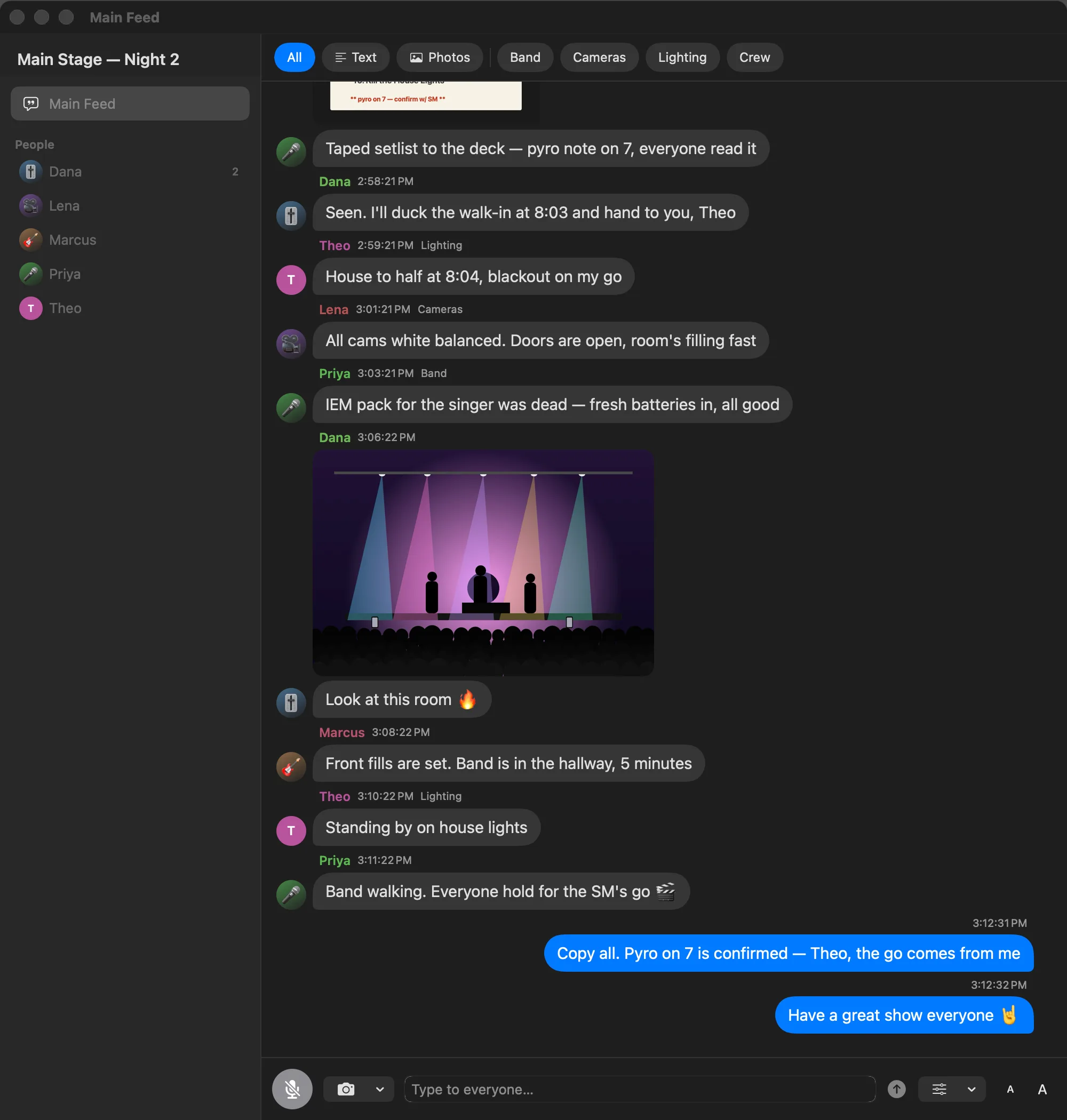
Mac app · hosts the session · available now
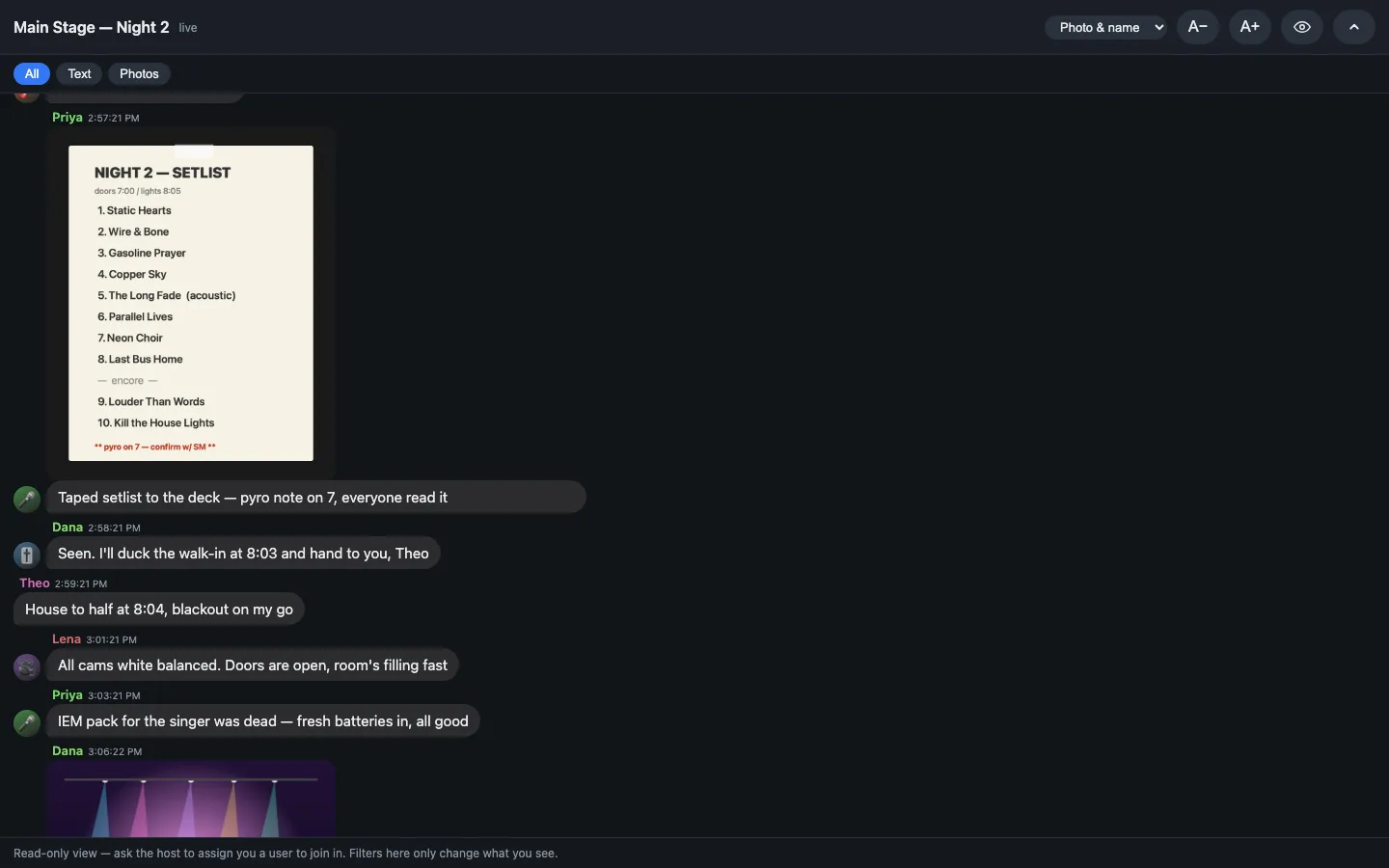
Web viewer · any browser on the network · no install
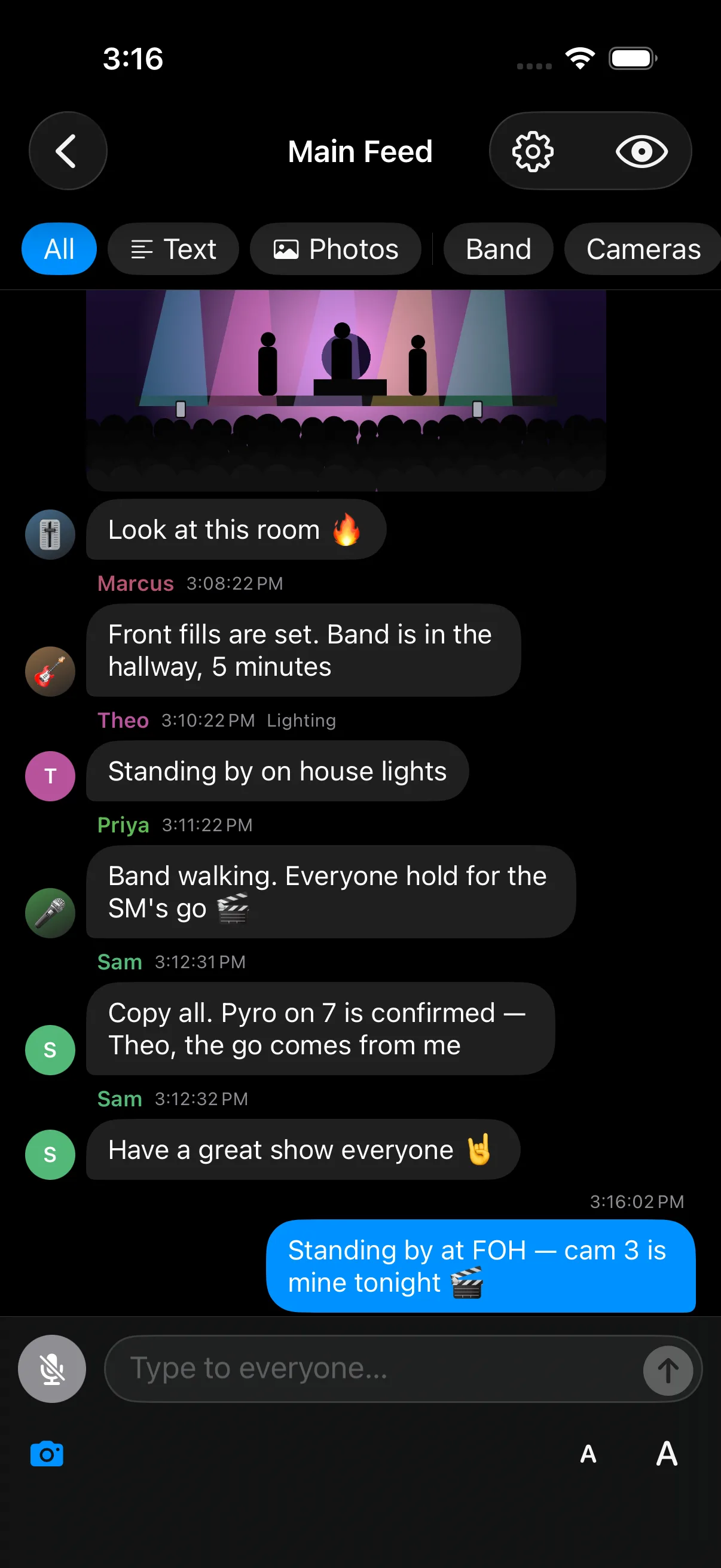
iPhone · native app ·on the App Store
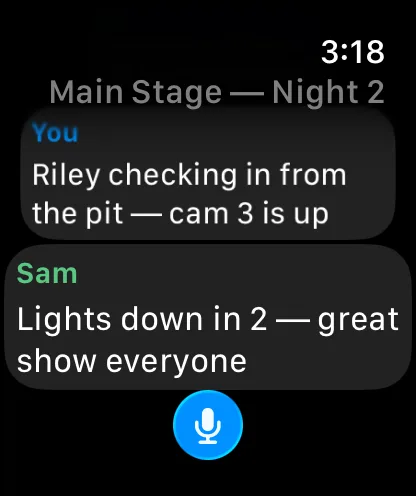
Apple Watch · glance and talk back ·ships with the iPhone app
What it does
One job: put the crew's words on a shared screen, quietly, privately, and over the network they already trust.
Your voice becomes text on your own Mac and never leaves it. Only the words are sent: no audio is transmitted or stored, ever.
The whole session is text. Nothing to overhear, nothing to leak, and a clean written record of every call as a side effect.
Sessions are peer-to-peer over your local network: no cloud, no account, no server. Built for the locked-down venue networks shows actually run on.
One device hosts; everyone else joins from the app or any browser on the same network. Discovery is automatic: no addresses to type.
The multi-channel console maps each input on your audio interface to its own person, each transcribed independently, with its own settings and mute.
Tune each person's pause-before-sending (fast talkers short, slower ones long) from the app or the web, live, mid-show.
The web viewer lets anyone on the network read along with zero install. The host can promote a browser to a full participant who posts, too.
Filter the feed by channel, split off a private thread with one person, and drop a photo into the conversation.
Hide the chat behind a blur when your screen is in the open, and peek only while you hold: click-and-hold, touch-and-hold, or a shortcut.
Built-in Gainware™, Neon, and Amber looks plus a theme editor, carried through the whole window, title bar and all.
Automatic, signed, notarized updates that install between sessions, never mid-show, so an update can't drop the room.
Stage managers, A1/A2s, LDs, camera, spotting, front-of-house, production: quiet text comms alongside the voices already in their ears.
The web viewer
Anyone on the network opens the host's address in a browser and reads the live feed with no install: phone, tablet, or laptop. If the host approves, that browser becomes a full participant: it can post text and photos, set its own name, and tune its own send timing. It's the zero-friction way to put everyone on comms, not just Mac owners.
Why Gainware Chat™
Specifications
A signed, notarized Mac app that runs your session on the local network, with native iPhone and Apple Watch apps on the App Store and a zero-install web viewer for everyone else. No cloud, no account, and your audio never leaves the device.
No. Speech becomes text on your own device; only the resulting text crosses the network. Audio is never transmitted or stored; nothing goes to a cloud.
No. Sessions run peer-to-peer on your local network. A licensed Mac keeps working fully offline; it only needs to reach the internet briefly, about once every two weeks, to re-verify the license, so a dead venue network never locks anyone out mid-run.
They open the web viewer in any browser on the same network: no install. They can read along instantly, and the host can promote a browser to a full participant who posts too.
Yes. The multi-channel console maps each input on your audio interface to its own person, each transcribed independently with its own mute and send timing, ideal for a comms position.
It's free right now: the checkout applies the discount automatically and you get a license key at no cost. The key activates per Mac, and you can move it to another machine anytime from the customer portal.
Yes, the native iPhone app is on the App Store, and it can join a session on the same network. It ships with an Apple Watch app, so you can glance at the feed and dictate a reply from your wrist. Anyone without it can still join instantly through the browser-based web viewer, no install, on any phone, tablet, or laptop.
Get Gainware Chat™
A signed, notarized macOS app: quiet text comms over your own network, with native iPhone and Apple Watch apps on the App Store and a zero-install web viewer for everyone else. Free to get: the checkout applies the discount for you.
Free · macOS 14+ · Apple silicon & Intel
Already have a key?Manage your license →