
AU and VST3, in one rack
Host Audio Units and VST3 plugins side by side in serial chains on any Core Audio interface. Every chain gets its own input and output routing.
Live plugin host · macOS
LiveRack™ hosts AU and VST3 plugins in console-style chains on any interface. Snapshots recall from the desk, MIDI learns on everything, delay compensation keeps chains aligned, and a plugin that misbehaves can't take the rest of the rack down with it.
macOS 13+ · Apple silicon & Intel · AU + VST3
Why it exists
Running plugins on a live show means picking between hosts that lock you to full screen and one plugin format, and hosts where a single bad plugin crashes the whole process mid-set. Neither is a thing you want between a console and a room full of people.
How it works
Choose the Core Audio device at your position, or combine several. Set sample rate and buffer size from what the hardware actually supports.
Add a chain per channel or bus, patch its input and output, and drop plugins in from the searchable browser. Each strip shows trim, slots, fader, and meters.
Dial in a look and press CAPTURE. Repeat per song or scene. Lock any chain you want left alone, and set fade times so levels glide instead of jump.
Map Program Changes to snapshots and learn MIDI on anything else. Then run the night without touching the laptop.
Build once. Run the night without touching the laptop.
In the app
Real screenshots from the shipping build. Dark by default, readable in a dark room, resizable to whatever screen is at your position.
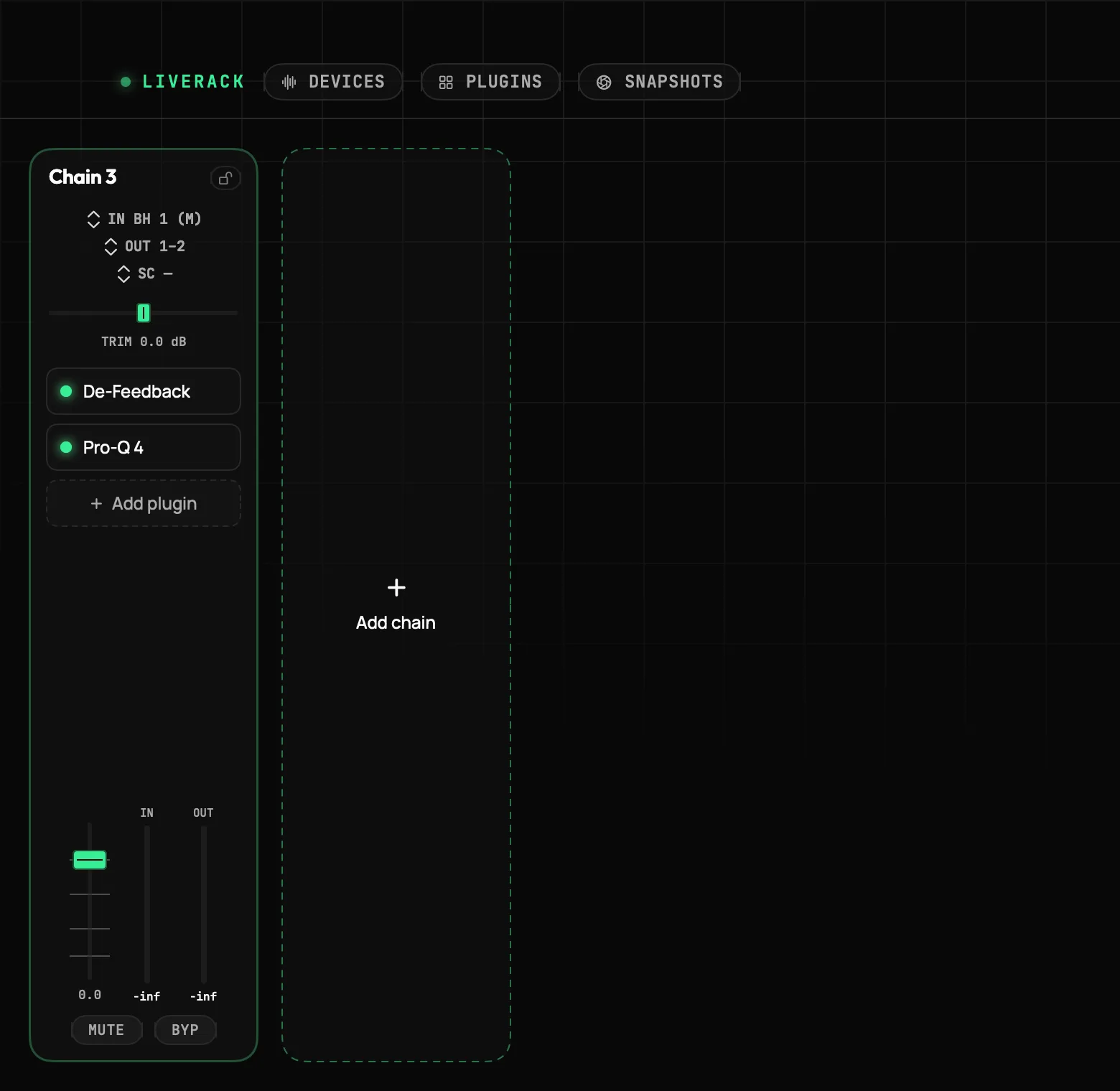
Chains as channel strips · trim, slots, fader, meters
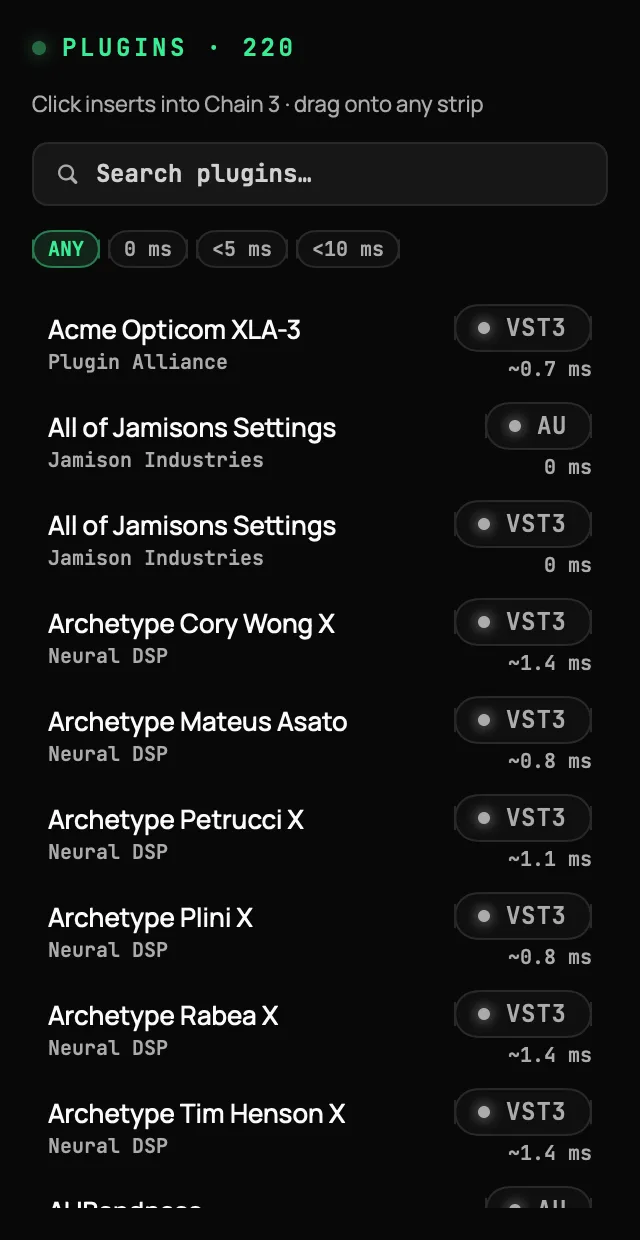
Measured latency on every plugin · filter before you insert
What it does
One job: host the plugins the show needs and keep passing audio, whatever any one of them decides to do.
Host Audio Units and VST3 plugins side by side in serial chains on any Core Audio interface. Every chain gets its own input and output routing.
Plugins run isolated from the audio engine. If one misbehaves, the rest of the rack keeps passing audio, and LiveRack™ names the suspect so you can bypass it and carry on.
Plugins are scanned in a separate helper, never inside the app. A plugin that crashes or hangs on scan is quarantined and listed, and setup never stalls because of it.
Chains render as full-height console strips: input trim, plugin slots with bypass LEDs, an output fader, and live in/out meters. Drag slots to reorder.
Capture the whole rack as a numbered look. Recall from the screen or a console Program Change, with per-snapshot fade times, notes, undo, and locked chains that recalls never touch.
Right-click a mute, a bypass LED, or a snapshot and learn the next message from your desk or footswitch. Bindings live in the session and survive re-plugging.
Automatic latency groups pad every chain to the slowest member, sample-exact, so parallel paths stay phase-aligned. The live delay readout is always on screen.
The plugin browser shows each plugin's measured latency next to its name, with filters for zero, under five, and under ten milliseconds. No surprises after the insert.
One control mutes the master output on the very next block, then sends All Notes Off and All Sound Off everywhere. Bindable to a footswitch. Never a dialog in the way.
Autosave, atomic writes, and a session format where plugin state shared between snapshots is stored once. A missing plugin loads as a placeholder that keeps its settings.
Every view scales to the window you give it, on whatever display you have at the position. No fullscreen lock, no fixed layout.
Built-in Standard, Blackout, Neon, and Amber looks, plus your own palettes shared as files. Nothing blinks unless it is genuinely live.
Snapshots
A snapshot freezes the whole rack: gains, mutes, bypasses, and every plugin's state. Recall from the screen or from a Program Change at front of house. Levels fade over the time you set, mutes and bypasses land on the beat, and UNDO puts everything back the way it was before the last recall.
Why LiveRack™
Specifications
A native, signed, notarized macOS app. Activate once, then run offline. Updates wait until you are off air.
Audio Units and VST3 plugins, on any Core Audio interface, in serial chains that behave like console channel strips. Instruments and effects both load. VST2 is not supported.
Plugins run isolated from the audio engine, so the rest of the rack keeps passing audio. On the next launch LiveRack™ names the plugin it suspects so you can bypass or remove it before starting the engine. Scanning happens in a separate helper too, so a bad plugin can never stall setup.
A snapshot is the whole rack frozen: every chain's trim, fader, and mute, every slot's bypass, and every plugin's state. Recall from the screen or a Program Change from your desk. Levels fade over the time you set, mutes and bypasses land on the beat. Lock a chain to keep recalls off it, and UNDO puts the rack back the way it was before the last recall.
Yes. Chains in the same latency group are padded to the slowest member, sample-exact, so parallel paths stay phase-aligned. The plugin browser also shows each plugin's measured latency before you insert it.
Yes. The unlicensed app is a full demo: every feature is present, with ten minutes of audio per launch. Quit and reopen for another ten. A countdown is always visible while the engine runs, and you are warned before anything is cut.
Activate a license once online, then LiveRack™ runs offline for as long as you need. During a session there are no update prompts, no license checks, and no dialogs.
Get LiveRack™
AU and VST3 chains, snapshots, MIDI control, and crash isolation, in a windowed macOS app that runs offline. Try the full demo first.
macOS 13+ · Apple silicon & Intel · AU + VST3
Already have a key?Manage your license →
VST® is a registered trademark of Steinberg Media Technologies GmbH.